FAQs
Need help navigating Naut Zero? We’ve got you covered.
Q1: What is Naut Zero's mission?
The ocean needs to thrive for yachting to continue to thrive. That’s why we created a way for you to support our oceans and waterways, without disrupting the way you’re used to operating.
Naut Zero is designed to simplify your day-day while simultaneously supporting marine restoration.
Q2: Who do I contact if I have a question?
We’re here to help. Please email your questions to [email protected] and one of our team members will be in contact as soon as possible.
Q3: What is Naut Zero?
Naut Zero is a sustainable expense management tool supporting charters and yachts at every level.
The Captain manages cards, sets and tracks budgets, categorizes spend, while the crew can stay on top of their availalable balances and upload receipts on the move through our user-friendly app. Under the same platform, Yacht Management can manage multiple yachts, their funds, access receipts, reports, and so much more. Finally, even the Charter Company can easily segregate funds, utilize multi-currency features, reconcile transactions, and separate operation and charter costs, all from the Naut Zero dashboard.
When a yacht uses Naut Zero prepaid cards for their everyday transactions, they are automatically supporting climate action restoration projects around the world. For every $2,000 of spend, one square foot of oceans, waterways, and wetlands will be restored.
Q4: Are you a bank?
No, we’re not a bank we’re a payment platform. We’ve partnered with the best players in the banking and fintech sector – Visa and Airwallex, all funds are protected in designated safeguarding accounts with tier-one financial institutions.
Q5: How can I sign up for Naut Zero?
Send an email to [email protected] and we will take care of the rest!
Q6: Who can sign up for a Naut Zero?
Naut Zero is accessible for all boats of any size that are ready to combat climate change and take responsibility for their carbon impact! With no credit checks or interest rates to think about, you can support the climate while sailing the seven seas.
Q7: Where can I use my card?
You can use the Naut Zero card to purchase anything, anywhere in the world that accepts Visa. The Naut Zero Visa card is accepted at 70m+ merchants in 200+ countries.
Q8: Can I use my Naut Zero card abroad?
Yes. We’ll charge you in your local currency at Visa’s daily foreign exchange rate. What’s even better? We don’t add any extra travel fees on top.
Q9: Can I add my Naut Zero card to my phone?
Just like a bank card, the Naut Zero card works with Apple Pay and Google Pay.
Q10: Do you offer different types of cards?
Currently we offer three types of cards:
Physical Cards:
These cards can be used at any retailer that accepts Visa, and can also be added to your phone’s digital wallet.
Virtual Cards:
You don’t have to remember your wallet or have a physical card in order to use Naut Zero. Virtual Cards that can be added to a phone’s digital wallet and used at all the same retailers that accept Visa.
One-Time-Use Cards:
For when a single purchase needs to be made instead of maintaining a balance, we have a card for that too. No more petty cash or sharing payment card details.
Q11: Do you charge interest?
There are no interest fees for the Naut Zero card.
Q12: Are there any limits?
A $250k daily transaction limit ensures your purchases will go through without interruption.
Q13: Who is your climate partner?
SeaTrees, by non-profit Sustainable Surf, work with communities around the world to protect, replant, and restore ‘blue carbon’ coastal ecosystems – mangrove and kelp forests, seagrass, coral reefs, and coastal watersheds. SeaTrees projects do a lot more than sequester carbon. The regeneration and protection of these ecosystems provide critical habitat for countless species, sustainable long-term employment for local communities, and protection for the coast from storm surges and sea level rise. Your Naut Zero card supports six of their global projects. Click here to find out more about them!
Q14: Will I get charged extra for marine restoration?
Nope! Nothing changes when you make a purchase, except sustainability going on behind the scenes. With no caps, limits or minimum spend required, the marine restoration projects you support with your Naut Zero card are included in the price of your purchase. If your total purchase is $250.00, it will still cost $250.00 with Naut Zero.
Q15: How can I track my marine restoration?
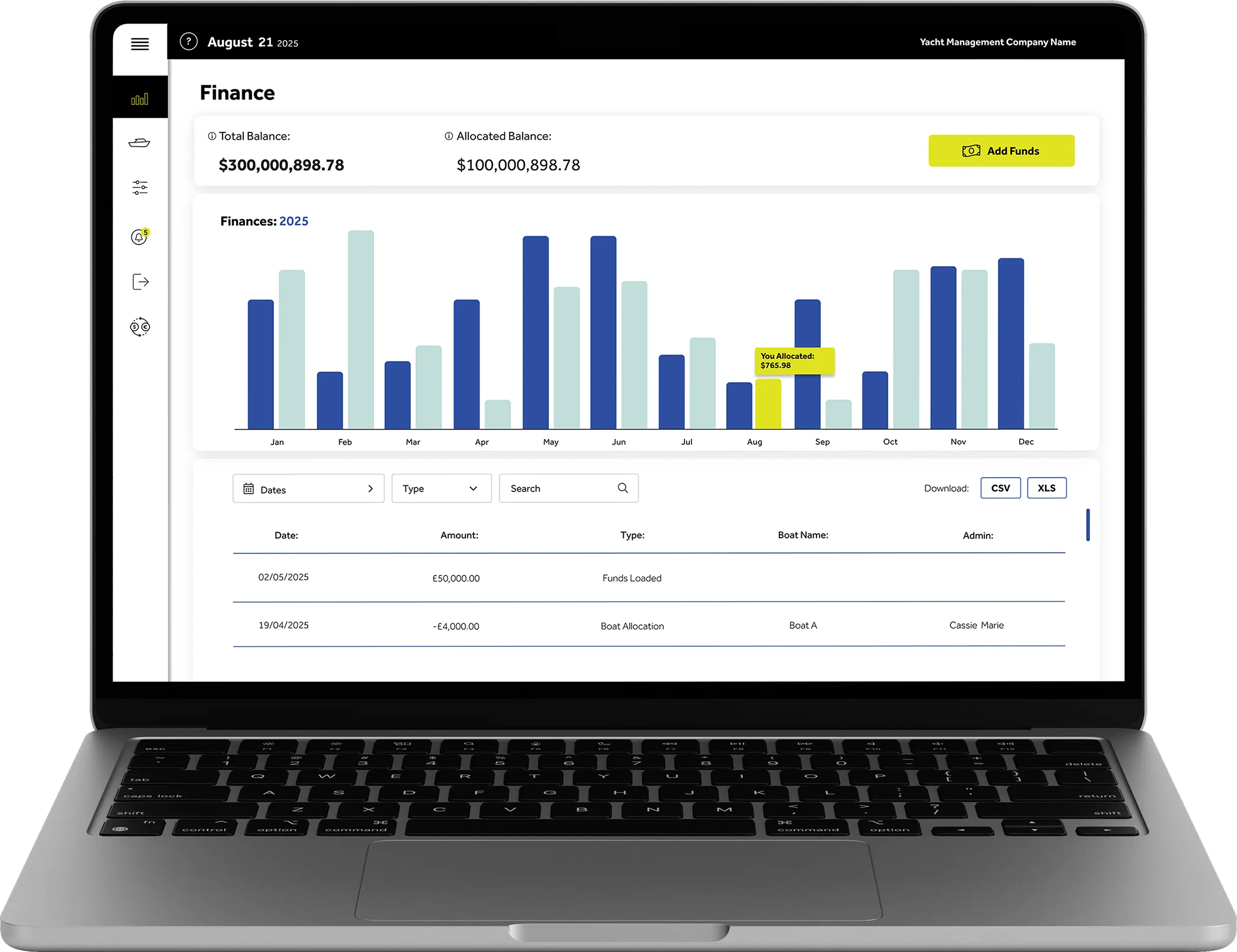
Track the square feet of restored marine areas in real time from your dashboard. Whether it’s for a specific transaction or for an annual breakdown, you can analyse your impact and see each of the projects you automatically contribute toward.
Q16: Is Naut Zero ethical and sustainable?
We’re committed to creating a sustainable future for our planet and doing so as transparently and ethically as possible.That’s why we’re holding ourselves accountable, too. We’re a proud member of 1% for the Planet which means that we give at least 1% of our profits to tackling the planet’s most pressing environmental issues. We are also certified carbon neutral and our physical cards are made from 100% recycled plastic.
Q17: Are there any countries where I cannot use my Naut Zero card?
Yes, the list of countries where you cannot transact using your Naut Zero card are listed below:
- Afghanistan
- Burundi
- Central African Republic
- Democratic Republic of Congo
- Cuba
- Eritrea
- Guinea
- Guinea-Bissau
- Iran
- Iraq
- Lebanon
- Arab Jamahiriya Libyan
- Mali
- Myanmar
- Nicaragua
- North Korea
- Russia
- Sudan
- Somalia
- South Sundan
- Syrian Arab Republic
- Ukraine
- Venezuala
- Yemen
- Zimbabwe
Q18: How do I file a complaint?
We hope you have an excellent experience with SecOre. However, if you have encountered a problem, we’d be grateful if you could get in touch so that we can improve our service.
To ensure your case is looked into swiftly and efficiently, please contact us by emailing [email protected]
If your case cannot be resolved to your satisfaction, you may escalate the matter further.
A complaint can be filed if you believe an event including (but not limited to) the following took place:
- A breach of our published policies.
- Failure by SecOre to comply with a legal obligation.
- Negligence, a breach of a term of any customer agreement or of any enactment or other rule of law which may be applicable to SecOre.
- Misrepresentation, bad faith or other malpractice.
To help us to distinguish a complaint from a standard query, you should clearly state that you wish to make a formal complaint and provide as many details as possible, so we can further investigate your concerns and work towards a proper resolution.
To find out more about what happens after you make a complaint, please refer to our complaints handling procedure:
for residents of the EEA, serviced by SecOre click here;
for residents of the rest of the world (except the U.S.), serviced by SecOre, click here.
Q19: How much does it cost to add on the Banking feature to my subscription?
Naut Zero Banking is an optional addition to the platform and increases the price of the standard subscription by $/€ 500.00. Actual bank transfers are dependent on transfer type, geography, and selected method. All relevant fx and transfer fees are clearly displayed during each transfer.
Q20: Do I have to add Banking to my Naut Zero account?
No this is not a requirement. You will be asked if you would like to have the banking feature when you sign up for the platform. If you decide you want to add this feature on later, we can also enable this at a different date.
Q21: How do I make a bank transfer?
Go to the Banking page, select “Create” and follow the prompts.
You will first create a recipient that will be stored to make future transfers more efficient, and then follow the prompts to create a transfer. If you have only one admin on the account, you will then need to click “Authorize” to approve the transfer.
If there are multiple admins on your account, another admin, other than the person who created the transfer, will need to approve and authorize it.
Q22: Can I download a confirmation for a bank transfer I made?
Yes. Once a transfer has been sent, you can download a PDF confirmation directly from that Transfer when you click the drop down in the Banking page.
Q23: Where can I find my transfer confirmations later?
All authorized bank transfers are stored in your Banking page. Select any transfer to view or download its confirmation in the drop down.
Q24: How do approvals on the Banking page work?
Transfers require approval based on how many admins are in your Naut Zero account. One admin can create and authorize a transfer themselves, but multiple admins on an account requires a different admin to the one who created the transfer to approve it.
Q25: Can I get account statements for my bank, card, and manual ledger?
Yes. Statements are available under the Statements page. You can download monthly statements for card transactions, bank transactions, and manual ledger transactions all from there!
Q26: How quickly are bank transfers processed?
You are advised on the estimated timeline for each transfer you make when selecting which method you are sending your transfer as. Please be advised that transfers made on a weekend will experience a slight delay in this estimate.
Q27: Can I send transfers in multiple currencies?
Yes. Naut Zero supports multi-currency transfers. You can search for which countries and currencies we support here. When authorizing the bank transfer you will see the fx rate before approving and the final amount will be converted into your home currency on the Banking page.
Q28: Who can see or manage Banking activity, such as creating and approving transfers?
Only Admins on the account can create or approve bank transfers. Cardholders are currently not able to submit a bank transfer through the platform.
Boating For a Better Tomorrow
Lorem ipsum dolor sit amet, consectetur adipiscing elit. Ut elit tellus, luctus nec ullamcorper mattis, pulvinar dapibus leo.